Share your most insightful Nova conversations with your team
 Chris Saunders • 3 min read
.jpg)
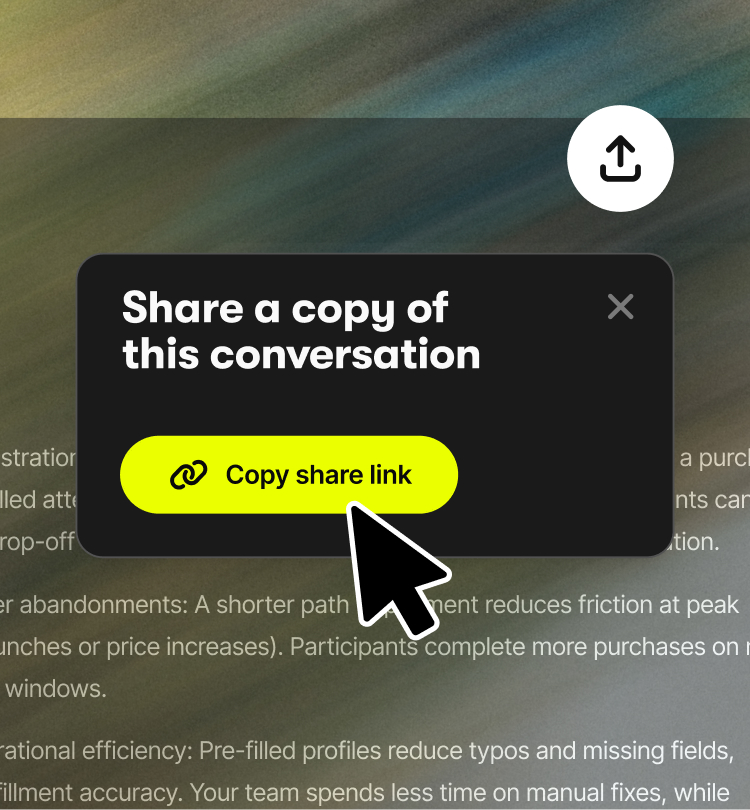
You can now share Nova conversations directly with your teammates.
When you’re growing your events, the questions you ask Nova and insights you discover often have a team-wide impact. But until now, sharing those insights meant screenshots, copied answers, or rewritten summaries, so context gets lost.
Now it’s as easy as sharing a link.
You can share an entire conversation with ease, showing the context and reasoning behind it, and highlight key messages to keep everyone aligned. If your teammates are part of the Nova beta, they can continue the conversation and push the analysis even further.
How it works
Sharing is simple. Click the share icon in the top right of any chat and copy the link. Send it to your team and they'll be able to view a copy of this conversation.
Beta users can ask follow-up questions and explore further. Non-beta users can view the full conversation and analysis.
Starring messages
Star messages easily, simply hover over any message in a conversation and click the star icon to mark it, helping you to mark important insights and keep everyone aligned.
Starred messages are saved to your history for quick access, and when you share the conversation, your teammates can immediately see which moments you’ve highlighted.
Why this matters
Shared chats turn individual analysis into collective progress. Teams can align quicker, move faster, and spend less time chasing context and more time acting on insight.
“The Share Conversation Chats feature in Nova is fantastic. Previously, I had to copy and paste information, so the ability to share conversations directly is a great example of Let’s Do This continuing to lead as a technology innovator.”
- Amy Frostick, Co-Owner of J&A Racing
Want to see Nova in action for yourself? Join the waitlist
BETA GROUP NOW OPEN
Get access to personalised, data-driven insights to supercharge your event growth.